Segment is the most commonly chosen Customer Data Platform for companies implementing their first centralized event routing layer. The implementation looks straightforward — add a JavaScript snippet, call track() and identify(), enable destinations in the UI. The operational complexity appears later, when the event schema has drifted, destinations are receiving inconsistent data, and debugging a discrepancy requires reconstructing what happened in three different systems.
This guide covers Segment implementation from a developer’s perspective — the decisions that matter at setup time and the patterns that prevent the operational problems that most teams encounter in their first year.
Understanding What Segment Actually Does
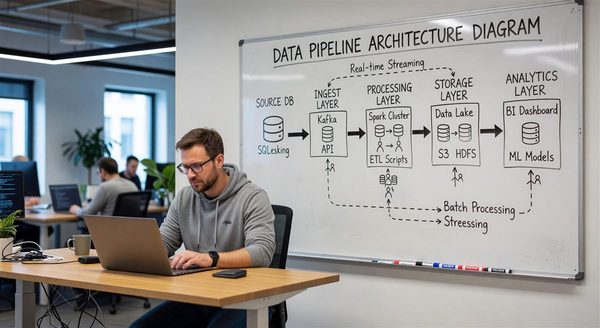
Segment’s core function is event routing with identity resolution. Your application sends events (user actions, page views, identify calls) to Segment. Segment routes those events to configured destinations (analytics tools, ad platforms, CRMs, data warehouses) in the appropriate format for each destination.
The value proposition: instead of adding a JavaScript SDK for each analytics and marketing tool to your application, you add Segment once and route to all tools from the Segment UI. This is accurate and genuinely useful — but the abstraction breaks down in predictable ways that developers need to understand.
What Segment does well:
- Client-side event collection and routing to cloud destinations
- Identity resolution (merging anonymous IDs with user IDs at authentication)
- Schema documentation via Protocols
- Destination transformation via Functions
- Replay capability — re-routing historical events to new destinations
Where the abstraction leaks:
- Destination-specific event transformations are limited in the Segment UI — complex transformations require Destination Functions or a separate transformation layer
- Segment’s identity graph does not resolve across all edge cases (different devices, email changes)
- The data quality of Segment’s output is only as good as the events your application sends
Event Taxonomy: The Decision That Determines Everything Downstream
The most important implementation decision is event naming and schema design, made before the first SDK call. A poorly designed event taxonomy produces downstream data quality problems that are expensive to fix retroactively.
Naming conventions:
Segment’s recommended convention is Object Action in past tense: Order Completed, Product Added, Account Created, Plan Upgraded. This produces readable event names that sort naturally and make SOQL/SQL queries intuitive.
Avoid:
- Inconsistent casing (
order_completed,OrderCompleted,Order Completed) - Platform-specific names (
hubspot_contact_updated— this couples your event schema to implementation details) - Events that represent implementation rather than user behavior (
element_clicked,form_submittedwithout context about what the element/form was)
Property consistency:
The same property should always mean the same thing. If plan_name appears in Subscription Created, it should appear with the same value format in Plan Upgraded and Subscription Canceled. Inconsistent property names and values are the most common cause of broken destination mappings.
Reserved properties:
Segment reserves certain property names and populates them automatically. Avoid using these for custom purposes: userId, anonymousId, context, integrations, messageId, timestamp, type, version, writeKey.
Core Tracking Calls
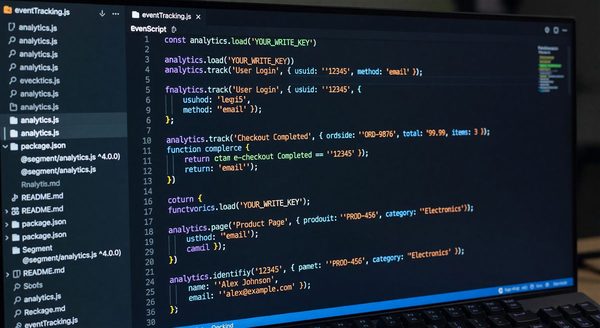
// Analytics.js 2.0 (current version)
import Analytics from '@segment/analytics-next';

const analytics = Analytics.load({ writeKey: 'YOUR_WRITE_KEY' });

// Page view — called automatically or manually
analytics.page('Pricing', {
  url: window.location.href,
  title: document.title,
  category: 'Marketing'
});

// Identify — called at authentication
analytics.identify('user_123', {
  email: 'user@example.com',
  name: 'Jane Smith',
  plan: 'pro',
  company: 'Acme Corp',
  created_at: '2024-01-15T10:30:00Z'
});

// Track — called for meaningful user actions
analytics.track('Subscription Started', {
  plan_id: 'pro_monthly',
  plan_name: 'Pro',
  revenue: 49.00,
  currency: 'USD',
  billing_interval: 'monthly',
  trial_end_date: '2024-02-14T23:59:59Z'
});

// Group — called when a user joins an organization
analytics.group('org_456', {
  name: 'Acme Corp',
  industry: 'Technology',
  employee_count: 150,
  plan: 'team'
});
Protocols: Enforcing Schema Before Events Reach Destinations
Segment Protocols (available on Business plans) allows you to define a Tracking Plan — the expected schema for each event — and enforce it at collection time. Events that violate the schema are flagged, blocked, or forwarded with violations marked.
The Tracking Plan is a JSON schema that documents:
- Required events and their properties
- Property types and allowed values
- Whether properties are required or optional
{
  "events": [
    {
      "name": "Subscription Started",
      "description": "Fired when a user completes checkout and starts a subscription",
      "rules": {
        "properties": {
          "plan_id": {
            "type": "string",
            "required": true,
            "description": "Stripe price ID"
          },
          "plan_name": {
            "type": "string",
            "required": true,
            "enum": ["Starter", "Pro", "Team", "Enterprise"]
          },
          "revenue": {
            "type": "number",
            "required": true,
            "description": "Revenue in USD"
          },
          "currency": {
            "type": "string",
            "required": true,
            "pattern": "^[A-Z]{3}$"
          }
        }
      }
    }
  ]
}
Protocols enforces this schema in real-time. Events missing required properties or with invalid values are flagged in the Protocols Violations report. This prevents bad events from corrupting downstream destinations — and creates a feedback loop that helps developers fix tracking issues before they become data quality problems.
Destination Functions: When Native Mappings Are Not Enough
Segment’s native destination integrations handle most use cases but have limits. When you need custom transformation logic — changing event names, restructuring payloads, or calling an API that has no native Segment integration — Destination Functions are the solution.
// Destination Function for a custom internal API
async function onTrack(event, settings) {
  const { event: eventName, properties, userId, anonymousId } = event;

  // Only forward subscription events to this destination
  if (!eventName.startsWith('Subscription')) {
    return;
  }

  const payload = {
    event_type: eventName,
    user_id: userId || anonymousId,
    plan: properties.plan_name,
    mrr: properties.billing_interval === 'annual'
      ? properties.revenue / 12
      : properties.revenue,
    timestamp: event.timestamp,
    metadata: {
      segment_message_id: event.messageId
    }
  };

  const response = await fetch(settings.apiEndpoint, {
    method: 'POST',
    headers: {
      'Content-Type': 'application/json',
      'Authorization': `Bearer ${settings.apiKey}`
    },
    body: JSON.stringify(payload)
  });

  if (!response.ok) {
    // Throwing causes Segment to retry the event
    throw new RetryError(`API returned ${response.status}`);
  }
}

async function onIdentify(event, settings) {
  // Handle identify events separately if needed
  const { userId, traits } = event;
  // ...
}
Functions support JavaScript and have access to a fetch function for HTTP calls, the event object, and settings configured in the Segment UI (API keys, endpoint URLs). The RetryError class signals to Segment that the delivery failed and should be retried.
The integrations Object: Selective Destination Routing
Segment routes events to all enabled destinations by default. The integrations object allows per-event control:
// Send this event only to the data warehouse, not ad platforms
analytics.track('Internal Debug Event', {
  debug_info: 'something only the warehouse should see'
}, {
  integrations: {
    'All': false,  // Disable all destinations
    'Segment.io': true  // Enable warehouse delivery
  }
});

// Send this event to everything except a specific destination
analytics.track('Sensitive User Action', properties, {
  integrations: {
    'Google Analytics': false  // Exclude GA4 for this event
  }
});
This is also how GDPR-compliant conditional routing works — for users who have not consented to advertising data, advertising destinations can be excluded from event routing at the call level.
Frequently Asked Questions
How should we handle Segment when a user is not authenticated?
For unauthenticated users, Segment assigns an anonymousId — a UUID stored in a first-party cookie (or localStorage). All events prior to authentication are associated with this anonymous ID. When the user authenticates, call analytics.identify(userId, traits) and Segment creates an alias linking the anonymous ID to the user ID. The identify() call on authentication is the most important call in your implementation.
What is the Segment Data Lakes feature and when do we need it?
Segment Data Lakes syncs raw event data to your cloud storage (AWS S3, Google Cloud Storage) in Parquet format for direct analytics and machine learning use. It is distinct from Segment’s Warehouse destinations, which load data into SQL warehouses. Use Data Lakes when you need raw event data accessible outside of SQL for data science, ML pipelines, or long-term archival with lower warehouse storage costs.
How do we handle events that should not fire until user consent is confirmed?
Buffer events in a local queue before Segment initialization. After consent confirmation, initialize Segment and flush the buffered events. This prevents any tracking before consent while preserving data from sessions where consent is granted during the visit.
What is the difference between Segment’s cloud-mode and device-mode destinations?
Cloud-mode destinations receive event data from Segment’s servers — your JavaScript sends events to Segment, Segment forwards to the destination’s API. Device-mode destinations receive events directly from your page by loading the destination’s native JavaScript SDK. Device mode is required for destinations that need browser-level access (e.g., certain ad platforms need to set their own cookies or access browser APIs). Device-mode destinations add their SDK weight to your page load.
How do we debug Segment events in production without a staging environment?
The Segment Debugger in the workspace UI shows real-time event stream with full payload inspection. For systematic debugging, Segment’s Protocols Violations report shows schema mismatches. For destination-specific debugging, enable the Segment Source Debugger and check destination-specific logs in the source’s debug tool (GA4 DebugView, HubSpot developer logs). Segment also provides a Replay feature — re-route historical events to a new destination for testing.
Further Reading from Authoritative Sources
- MDN Web Docs — Using the Fetch API: Fetch API reference essential for Segment Destination Functions that make HTTP calls to custom API endpoints.
- W3C — Web Storage API: The W3C specification for localStorage and sessionStorage used by Segment’s Analytics.js to persist anonymous IDs across page loads.