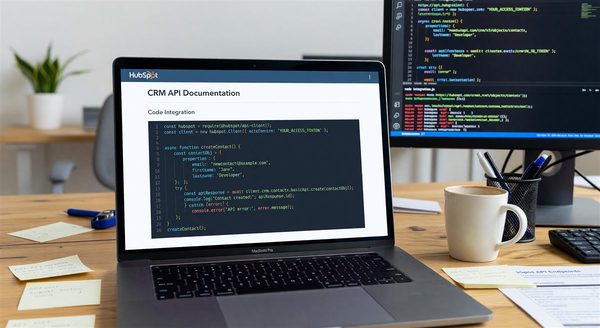
If your HubSpot integration calls anything under /crm/v4/, a date is now attached to it. HubSpot’s developer changelog states that on March 30, 2027 the v4 APIs move to an unsupported state: no updates, no bug fixes, and no stability guarantees. Calls may keep working for a while, but nothing obliges HubSpot to keep them working, and that is a poor foundation for a sync job that writes to your CRM every few minutes.
This is the plan we would follow to get off v4 without a rushed cutover in March.
What the March 30, 2027 date actually says
The date comes from HubSpot’s changelog entry on deprecating support for v4 APIs. It says the legacy semantic version v4 is moving out of support as part of the transition to date-based versioning, and it recommends planning your migration before March 30, 2027. The entry also states that unsupported versions may continue to function for some period but are not guaranteed to remain stable or available.
Two things are worth reading carefully. First, “unsupported” is not “shut off.” The risk is silent drift: a defect in a v4 endpoint that HubSpot will not fix, or a behavior change that lands without notice. Second, the changelog entry is about v4. Older semantic versions are a separate question, covered below.
How date-based versioning works
HubSpot announced date-based versioning on March 30, 2026. Instead of v1 through v4, API versions are named for the month they shipped, in a /YYYY-MM/ format such as /2026-03/. HubSpot’s versioning documentation describes the cadence this way:
- A new version reaches general availability every six months, in March and September.
- Each version is a fixed snapshot. Breaking changes only arrive in those twice-yearly releases.
- A version is “Current” for six months, “Supported” for a further twelve months with critical fixes only, and “Unsupported” after eighteen months from general availability.
- Beta versions use a
-betasuffix, for example/2026-09-beta/.
That eighteen-month window explains why the v4 date lands where it does. HubSpot’s own migration playbook gives the example that v4 becomes unsupported alongside the /2027-03/ release. It also means whichever version you pick now has a known end date. A version that reached general availability in March 2026 will, by HubSpot’s eighteen-month rule, be unsupported around September 2027, so you are signing up for a recurring upgrade cycle rather than a one-time move.
The path change catches people out
The migration is not a find-and-replace on v4. The version segment moves within the URL. HubSpot’s migration guide gives the example of /crm/v3/objects/contacts becoming /crm/objects/2026-09/contacts. The guide notes that request and response bodies can differ even where an endpoint has feature parity, so a successful 200 on the new path is not proof that your parser still works.
HubSpot’s playbook adds a warning that reordering segments breaks the endpoint, and that the version name is literal: 2026-03 is a real version, not a placeholder to swap for today’s date. Copy paths from the versioned reference rather than constructing them.
SDK constraints
Per HubSpot’s playbook, the current TypeScript, Python, PHP and Ruby SDKs include /2026-03/ endpoints, and you cannot mix legacy semantic versions with date-based versions in the same SDK. In practice that rules out the tidy plan of upgrading the SDK and migrating call sites one at a time. If part of your integration has to stay on v4 for a while, pin the old SDK for that component and run the new one separately, or keep that code on raw HTTP. The same playbook said Node.js support was expected by the end of Q2 2026, so confirm your SDK’s current state in its changelog before you plan around it.
Endpoints with no equivalent yet
HubSpot’s migration guide says most v3 and v4 endpoints have feature parity with their date-based equivalents, while some older v1 and v2 endpoints lack one. The playbook suggests tracking any hybrid state explicitly. Keep a list of the endpoints you could not move, with the reason and a recheck date, so they surface at each March and September release instead of being forgotten.
Step 1: build the inventory
You cannot migrate calls you have not found. Use three sources, because each misses something.
- HubSpot’s own report. The migration guide points to Development, then Migrations, then the APIs tab, which lists recent legacy API usage for the account. It sees what actually ran, including calls from forgotten scripts.
- Your code and configuration. The playbook recommends searching for
/v3/,/v4/andapi.hubapi.com, and reviewing SDK versions, gateway logs and Postman collections. Search infrastructure-as-code and environment files too, since base URLs sometimes live there. - HubSpot-side automation. Workflows, webhooks and custom code actions can call versioned endpoints from inside HubSpot. Code in the repository will not show them.
Record, per call: endpoint, version, owning service, how often it runs, and what breaks if it fails. A nightly contact export and a real-time lead-routing call do not need the same urgency.
Step 2: choose a target and make it configurable
Pick the newest generally available date-based version that covers every endpoint you use. The migration guide’s examples now use /2026-09/, so check which versions the reference currently lists as GA. Avoid pinning production to a -beta version; HubSpot’s playbook says to reserve those for staging.
Then take the version out of the call sites. A single configuration value, read from an environment variable and used to build paths, turns the next migration into a config change plus a test run:
HUBSPOT_API_VERSION = os.environ.get("HUBSPOT_API_VERSION", "2026-03")

def contacts_url():
    return f"https://api.hubapi.com/crm/objects/{HUBSPOT_API_VERSION}/contacts"
That helper only suits endpoints whose path follows this pattern, so verify each against the reference before generalizing it. The same principle applies to any revision-header system: do not let a library default decide your version for you. We covered that failure mode for Klaviyo’s revision header.
Step 3: test against recorded traffic
Create a duplicate HubSpot project or test account, as the migration guide suggests, and replay representative calls against the new version. Compare more than status codes. Diff response bodies against your parsers, particularly property names, pagination, and error shapes, since the guide says bodies may differ. Cover your failure paths too: a 429, a 400 on a bad property, an expired token.
Roll out gradually. Move one service or one customer segment first, watch error rates and downstream data quality, then continue. If you maintain a webhook consumer alongside your API client, check it separately, since versioned request paths and event payload handling are different concerns. Our HubSpot integration guide covers the signature verification side.
Step 4: schedule the legacy deadline you were not given
HubSpot’s March 2026 announcement said support timelines for the older v1 through v3 APIs would be set later. HubSpot’s migration guide now states that in September 2027, all legacy APIs using semantic versions will no longer be supported. Treat that as the working outer bound. If you still carry v3 calls, they should migrate in the same project as v4, not in a second one six months later.
Put the March and September release dates on your team calendar. A fixed, published cadence lets you plan upgrades instead of reacting to deprecation notices, and HubSpot’s playbook recommends building a recurring review into your roadmap for each new version.
What to do this week
Run the usage report in HubSpot, search your repositories for the three strings above, and write down every v3 and v4 call with an owner. Once that list exists, the rest is scheduling: one target version, one configuration value, a staging replay, and a rollout that finishes well before March 30, 2027.