HubSpot’s API has gotten significantly better over the last few years, but it still has sharp edges that will cost you time if you hit them unprepared. The rate limits are aggressive. The object model has some non-obvious associations. And the gap between “it works in development” and “it survives a production sync job” is wider than it looks.
This is the guide I wish had existed the first time I integrated HubSpot.
Understanding the API Landscape
HubSpot’s API is not a single unified surface — it is a collection of APIs that evolved at different times and have different design patterns. Understanding which API does what saves you from trying to do things in the wrong layer.
CRM API covers contacts, companies, deals, line items, tickets, and custom objects. This is where you spend most of your time in a typical integration. Operations: create, read, update, delete, batch operations, associations between objects. The CRM API is where your product’s user data maps to HubSpot’s contact and company records.
Marketing API covers email campaigns, landing pages, forms, marketing events, and lists. If you need to programmatically trigger email sends, create contacts and add them to lists, or report on campaign performance, you are in the Marketing API. One thing developers often want and cannot do via the API: trigger workflow enrollment directly. HubSpot workflows can be triggered by properties changing, but you cannot call an endpoint to say “run this workflow for this contact” — you manipulate the data that triggers the workflow.
CMS API covers HubSpot-hosted pages, blog posts, and templates. Unless your product is building on HubSpot’s CMS, you will rarely touch this. Most integrations do not need it.
CMS HubDB is HubSpot’s structured data tables, accessible via API. Useful if you are building a HubSpot-hosted site that needs to pull in structured data from HubSpot’s tables rather than from your own database.
The practical starting point for most integrations: you need the CRM API to sync contacts and companies, and possibly the Marketing API for list management or email tracking.
Authentication: Private Apps vs OAuth 2.0
HubSpot supports two authentication patterns. The choice matters for security and operational complexity.
Private Apps generate a Bearer token scoped to a specific HubSpot portal. You create the private app in HubSpot’s developer settings, select the scopes you need, and get a token. That token goes into your API requests as a header:
import requests

headers = {
    'Authorization': f'Bearer {HUBSPOT_PRIVATE_APP_TOKEN}',
    'Content-Type': 'application/json'
}

response = requests.get(
    'https://api.hubapi.com/crm/v3/objects/contacts',
    headers=headers
)
Use private apps for internal integrations — your product syncing to a single HubSpot portal, a data pipeline, a one-way export. Private app tokens do not expire on a fixed schedule (though they can be rotated), so you do not need to implement token refresh logic.
OAuth 2.0 is required when you are building an integration that connects to multiple customers’ HubSpot portals — a SaaS product with a “Connect to HubSpot” button. The flow is standard OAuth: redirect the user to HubSpot’s authorization URL, receive a code, exchange it for access and refresh tokens, store them per portal, and refresh the access token when it expires (every 30 minutes for HubSpot’s OAuth tokens).
Do not use OAuth for an integration that only ever touches one portal. The overhead of implementing token refresh, storing credentials per portal, and handling OAuth callback flows is not justified when a private app token works and is simpler to secure.
Rate Limits: The Thing That Will Break Your Integration
HubSpot’s rate limits are: 100 API calls per 10 seconds per portal, and 40,000 calls per day. There is also a burst allowance of around 150 requests in a short window before throttling kicks in.
These limits are applied per portal, not per app. If your integration shares a portal with other integrations, all of them share the same rate limit.
The limit you will hit first is the 10-second window. A sync job that processes contacts sequentially at a rate of more than 10 per second will start receiving 429 responses within minutes. HubSpot’s 429 response includes a Retry-After header with the number of seconds to wait.
The naive approach — checking for 429s and sleeping — works but is slow and produces fragile code. The correct approach is rate limiting on the way out:
import time
from collections import deque

class HubSpotClient:
    def __init__(self, token):
        self.token = token
        self.request_times = deque()
        self.rate_limit = 100
        self.rate_window = 10  # seconds

    def _wait_for_rate_limit(self):
        now = time.time()
        # Remove requests older than the window
        while self.request_times and self.request_times[0] < now - self.rate_window:
            self.request_times.popleft()

        if len(self.request_times) >= self.rate_limit:
            sleep_time = self.rate_window - (now - self.request_times[0])
            if sleep_time > 0:
                time.sleep(sleep_time)

    def get(self, url, **kwargs):
        self._wait_for_rate_limit()
        self.request_times.append(time.time())
        response = requests.get(url, headers=self._headers(), **kwargs)
        response.raise_for_status()
        return response

    def _headers(self):
        return {
            'Authorization': f'Bearer {self.token}',
            'Content-Type': 'application/json'
        }
For batch operations — creating or updating many contacts at once — use HubSpot’s batch endpoints. A single batch create call can process up to 100 contacts and counts as one API call against the rate limit. Using the batch API drops your effective API call count by up to 100x for bulk operations.
The Object Model and Associations
HubSpot’s CRM uses a property-based object model. Each object type (contacts, companies, deals) has a set of default properties and can have custom properties. Objects are associated with each other through an association API that has its own design.
The object types you will interact with most:
Contacts — individual people. Standard properties include email, firstname, lastname, phone, company. The email field is not required as a unique identifier but is HubSpot’s default deduplication key. HubSpot deduplicates contact creates by email — if you POST a new contact with an email that already exists, HubSpot returns the existing contact’s ID rather than creating a duplicate.
Companies — organizations. HubSpot deduplicates companies by domain name. Creating a company with a domain that matches an existing company returns the existing record.
Deals — sales opportunities. Associated to contacts and companies.
Line Items — products attached to deals. If your integration needs to sync product catalog data to HubSpot deals, line items are the mechanism.
Associations between objects are managed separately from the objects themselves:
# Associate a contact with a company
association_url = (
    f"https://api.hubapi.com/crm/v3/objects/contacts/{contact_id}"
    f"/associations/companies/{company_id}/contact_to_company"
)
response = requests.put(association_url, headers=headers)
The association type string (contact_to_company) is one of HubSpot’s predefined types. For custom object associations, you define association types in HubSpot’s settings.
Webhooks for Real-Time Sync
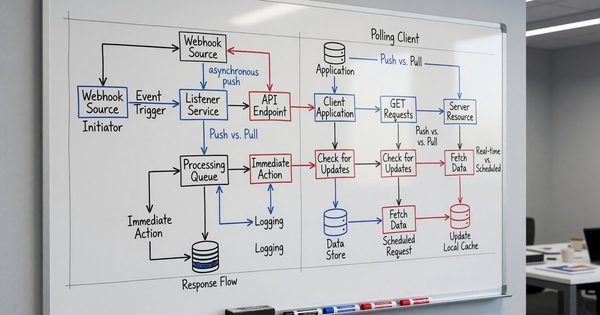
If you need your integration to react to changes in HubSpot in near-real-time — a deal stage change, a contact property update, a new form submission — webhooks are the right pattern.
HubSpot’s webhook system sends HTTP POST requests to your endpoint when subscribed events occur. Subscriptions are created per event type and object type: contact.propertyChange, deal.creation, company.deletion, and so on.
Configure subscriptions in your HubSpot app settings, specifying your endpoint URL and the event types to subscribe to. HubSpot sends events as JSON arrays:
from flask import Flask, request
import hashlib
import hmac

app = Flask(__name__)

HUBSPOT_CLIENT_SECRET = 'your_client_secret'

@app.route('/hubspot/webhook', methods=['POST'])
def hubspot_webhook():
    # Verify signature
    signature = request.headers.get('X-HubSpot-Signature-v3')
    if not verify_hubspot_signature(request, signature):
        return '', 401

    events = request.get_json()
    for event in events:
        process_event(event)

    return '', 200

def verify_hubspot_signature(request, signature):
    timestamp = request.headers.get('X-HubSpot-Request-Timestamp')
    body = request.get_data(as_text=True)
    source = f"{request.method}{request.url}{body}{timestamp}"
    expected = hmac.new(
        HUBSPOT_CLIENT_SECRET.encode(),
        source.encode(),
        hashlib.sha256
    ).hexdigest()
    return hmac.compare_digest(expected, signature)
HubSpot retries failed webhook deliveries. If your endpoint returns a non-200 status, HubSpot retries with exponential backoff up to a maximum retry count. Implement idempotent event processing — the same event may arrive more than once, and processing it twice should produce the same result as processing it once.
The Most Common Integration Pattern
If you are syncing your product’s users to HubSpot contacts, this is the sequence that works:
On user creation, create or upsert a HubSpot contact using the user’s email as the identifier. Use the batch upsert endpoint with
idProperty: "email"to handle the case where the contact already exists from a marketing touchpoint.When a user upgrades their account plan, update the contact’s properties and associate them with the appropriate company record if you are dealing with B2B users.
When a user cancels, update a contact property (
churned: true,churn_date) rather than deleting the contact. Deleting HubSpot contacts destroys their activity history and breaks any automation that referenced them.For deal creation, only create deals in HubSpot when there is a genuine sales event — a trial that qualifies, a quote request, an inbound enterprise lead. Do not create HubSpot deals for every self-serve signup unless your sales team actually works those records.
What to avoid: using HubSpot’s workflow trigger API to fire automations from your code. The API exists but it is fragile, poorly documented, and creates tight coupling between your application logic and HubSpot’s workflow configuration. The better approach is to update a contact property that a HubSpot workflow is configured to watch. The workflow fires when the property changes. This decouples your integration from the marketing team’s automation configuration.
FAQ
How should we handle HubSpot contact deduplication in our sync?
HubSpot deduplicates contacts by email by default. When you create a contact via the API with an email that already exists, HubSpot returns the existing contact rather than creating a duplicate. Use the upsert pattern — POST to the contacts API with idProperty: "email" and include all properties you want to set. HubSpot will create if the email is new, update if it already exists. For contacts without email addresses, you need to handle deduplication yourself using a custom unique identifier property.
What is the right way to sync historical data to HubSpot without hitting rate limits?
Use the batch endpoints, run the job during off-peak hours, and implement a conservative rate limiter. HubSpot’s batch create/update endpoints accept up to 100 records per request and count as a single API call. At 100 calls per 10 seconds using batch endpoints, you can process up to 1,000 contacts per 10 seconds in bulk sync mode. For a portal with 50,000 contacts, that is a roughly 8-minute full sync. Implement progress tracking so the job is restartable — a sync job that fails at record 45,000 should resume from there, not start over.
Should we use HubSpot’s native integrations or build our own API integration?
HubSpot’s native integrations in the marketplace are appropriate for standard use cases — syncing Salesforce, connecting Stripe for payment events, pulling in Intercom conversations. Build a custom integration when you need to sync proprietary data that no native integration handles, when you need custom field mapping that the native integration does not support, or when you need real-time sync that the native integration does not provide. Custom integrations also give you control over the data model — you decide which properties to sync and how to map them, rather than accepting the native integration’s assumptions.
How do we handle HubSpot API errors gracefully in production?
Implement retry logic with exponential backoff for transient errors (429 rate limit, 503 service unavailable). Do not retry on 400 (bad request — your payload is malformed), 401 (authentication failure — your token is invalid), or 404 (object not found — retrying will not help). Log failed requests with enough context to replay them manually or via a dead letter queue. For sync jobs, use a database-backed job queue (Celery, Sidekiq, BullMQ) rather than in-memory processing — if your worker crashes mid-sync, the queue persists and the job resumes.
Can we use HubSpot as the source of truth for our contact data?
HubSpot is a capable CRM, but it should not be the authoritative source of truth for data that originates in your product. Your product database is the source of truth for user accounts, subscription state, and product usage. HubSpot is a subscriber to that data, not the owner of it. The sync should always flow from your database to HubSpot, not the other way around — except for data that is genuinely HubSpot-native, like sales conversation notes and email engagement history, which you may want to pull back into your own reporting. For managing the broader MarTech data pipeline that feeds HubSpot and other tools, see MarTech data pipeline architecture patterns.