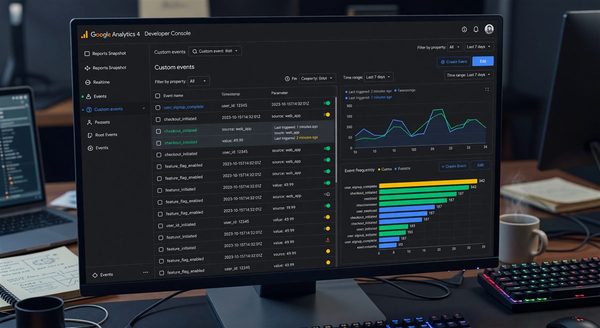
GA4’s reporting interface handles most analysis needs for small teams. But as soon as you need to automate reporting, combine GA4 data with CRM or revenue data in a dashboard, or build custom attribution analysis, you are in the GA4 Data API (also called the Reporting API v1). The API gives you programmatic access to the same data as the GA4 interface — but with more flexibility, no UI constraints, and the ability to pipe the data wherever you need it.
This guide covers the GA4 Data API from the implementation perspective: authentication, dimensions and metrics, report construction, quota management, and the patterns for building reliable data pipelines from GA4.
Understanding the GA4 Data API Surface
Google provides two primary APIs for GA4 data access:
GA4 Data API (Reporting API v1): Real-time and historical aggregated data. You specify dimensions, metrics, date ranges, and filters; the API returns aggregated report data. This is the API for dashboards, scheduled reports, and data exports. Quota: 10 concurrent requests per property per day.
BigQuery Export: Raw event-level data, not aggregated. Available for GA4 360 (paid) customers and free tier (with a small delay and limited backfill). This is the right choice for custom attribution analysis, joining with your own data, and ML use cases that need individual events. See the BigQuery marketing analytics setup guide for implementation details.
For most programmatic reporting use cases, the Data API is the right tool. For raw event analysis, the BigQuery export is the right tool. They are complementary, not alternatives.
Authentication Setup
GA4 Data API authentication uses Google’s OAuth 2.0 for user-context requests, or Service Account credentials for server-to-server API access (which is what dashboards and automated reports need):
from google.analytics.data_v1beta import BetaAnalyticsDataClient
from google.oauth2 import service_account

def create_analytics_client(service_account_json_path):
    """Create an authenticated GA4 Data API client using a service account."""

    credentials = service_account.Credentials.from_service_account_file(
        service_account_json_path,
        scopes=['https://www.googleapis.com/auth/analytics.readonly']
    )

    client = BetaAnalyticsDataClient(credentials=credentials)
    return client

# Service account must be granted "Viewer" access to the GA4 property
# in the GA4 Admin → Property Access Management settings
client = create_analytics_client('service-account.json')
PROPERTY_ID = 'properties/123456789'  # From GA4 Admin → Property Settings
The service account requires explicit access grant in GA4’s admin — a service account that exists in Google Cloud but has not been granted GA4 property access will receive a permission denied error that can be confusing to debug.
Building Reports: Dimensions, Metrics, and Date Ranges
The GA4 Data API uses a report model: you specify dimensions (attributes to group by), metrics (numeric values to aggregate), and filters. The API aggregates your property’s data according to these specifications and returns the result.
from google.analytics.data_v1beta.types import (
    RunReportRequest,
    Dimension,
    Metric,
    DateRange,
    OrderBy,
    FilterExpression,
    Filter
)

def get_traffic_by_channel(client, property_id, start_date, end_date):
    """Get session counts by traffic channel for a date range."""

    request = RunReportRequest(
        property=property_id,
        dimensions=[
            Dimension(name='sessionDefaultChannelGrouping'),
            Dimension(name='date'),
        ],
        metrics=[
            Metric(name='sessions'),
            Metric(name='activeUsers'),
            Metric(name='bounceRate'),
            Metric(name='averageSessionDuration'),
        ],
        date_ranges=[
            DateRange(start_date=start_date, end_date=end_date)
        ],
        order_bys=[
            OrderBy(
                dimension=OrderBy.DimensionOrderBy(
                    dimension_name='date',
                    order_type=OrderBy.DimensionOrderBy.OrderType.ALPHANUMERIC
                )
            )
        ],
        limit=10000,
    )

    response = client.run_report(request)
    return parse_report_response(response)

def parse_report_response(response):
    """Convert GA4 API response to a list of dictionaries."""
    results = []

    dimension_headers = [header.name for header in response.dimension_headers]
    metric_headers = [header.name for header in response.metric_headers]

    for row in response.rows:
        record = {}

        for i, dimension_value in enumerate(row.dimension_values):
            record[dimension_headers[i]] = dimension_value.value

        for i, metric_value in enumerate(row.metric_values):
            # Convert to appropriate Python type
            try:
                record[metric_headers[i]] = float(metric_value.value)
            except ValueError:
                record[metric_headers[i]] = metric_value.value

        results.append(record)

    return results
Filtering Report Data
Filters restrict which data the report includes. GA4’s filter structure supports dimension filters and metric filters:
from google.analytics.data_v1beta.types import (
    FilterExpression,
    FilterExpressionList,
    Filter
)

def get_landing_page_performance(client, property_id):
    """Get performance metrics filtered to specific landing pages."""

    request = RunReportRequest(
        property=property_id,
        dimensions=[
            Dimension(name='landingPage'),
            Dimension(name='sessionDefaultChannelGrouping'),
        ],
        metrics=[
            Metric(name='sessions'),
            Metric(name='conversions'),
            Metric(name='totalRevenue'),
        ],
        date_ranges=[
            DateRange(start_date='30daysAgo', end_date='today')
        ],
        # Filter to landing pages starting with /blog/
        dimension_filter=FilterExpression(
            filter=Filter(
                field_name='landingPage',
                string_filter=Filter.StringFilter(
                    match_type=Filter.StringFilter.MatchType.BEGINS_WITH,
                    value='/blog/',
                    case_sensitive=False
                )
            )
        ),
        # Only rows with at least 10 sessions
        metric_filter=FilterExpression(
            filter=Filter(
                field_name='sessions',
                numeric_filter=Filter.NumericFilter(
                    operation=Filter.NumericFilter.Operation.GREATER_THAN,
                    value={'int64_value': 10}
                )
            )
        ),
        limit=500,
    )

    return client.run_report(request)

# AND filter (multiple conditions)
def get_paid_traffic_conversions(client, property_id):
    request = RunReportRequest(
        property=property_id,
        dimensions=[Dimension(name='sessionSource')],
        metrics=[Metric(name='sessions'), Metric(name='conversions')],
        date_ranges=[DateRange(start_date='30daysAgo', end_date='today')],
        dimension_filter=FilterExpression(
            and_group=FilterExpressionList(
                expressions=[
                    FilterExpression(
                        filter=Filter(
                            field_name='sessionMedium',
                            string_filter=Filter.StringFilter(
                                match_type=Filter.StringFilter.MatchType.EXACT,
                                value='cpc'
                            )
                        )
                    ),
                    FilterExpression(
                        filter=Filter(
                            field_name='sessionDefaultChannelGrouping',
                            string_filter=Filter.StringFilter(
                                match_type=Filter.StringFilter.MatchType.EXACT,
                                value='Paid Search'
                            )
                        )
                    )
                ]
            )
        )
    )
    return client.run_report(request)
Funnel Reports
GA4’s Data API supports funnel reports as a separate report type — particularly useful for conversion funnel analysis:
from google.analytics.data_v1beta.types import (
    RunFunnelReportRequest,
    FunnelStep,
    FunnelFilter,
    FunnelFilterExpression,
    Funnel,
    FunnelDateRange,
)

def get_signup_funnel(client, property_id):
    """Analyze the signup funnel: Landing → Registration → Verification → Activation."""

    request = RunFunnelReportRequest(
        property=property_id,
        funnel=Funnel(
            steps=[
                FunnelStep(
                    name='Landing Page Visit',
                    filter_expression=FunnelFilterExpression(
                        funnel_filter=FunnelFilter(
                            field_name='eventName',
                            string_filter=FunnelFilter.StringFilter(
                                match_type=FunnelFilter.StringFilter.MatchType.EXACT,
                                value='page_view'
                            )
                        )
                    )
                ),
                FunnelStep(
                    name='Registration Started',
                    filter_expression=FunnelFilterExpression(
                        funnel_filter=FunnelFilter(
                            field_name='eventName',
                            string_filter=FunnelFilter.StringFilter(
                                match_type=FunnelFilter.StringFilter.MatchType.EXACT,
                                value='sign_up_started'
                            )
                        )
                    )
                ),
                FunnelStep(
                    name='Registration Completed',
                    filter_expression=FunnelFilterExpression(
                        funnel_filter=FunnelFilter(
                            field_name='eventName',
                            string_filter=FunnelFilter.StringFilter(
                                match_type=FunnelFilter.StringFilter.MatchType.EXACT,
                                value='sign_up'
                            )
                        )
                    )
                ),
                FunnelStep(
                    name='Subscription Started',
                    filter_expression=FunnelFilterExpression(
                        funnel_filter=FunnelFilter(
                            field_name='eventName',
                            string_filter=FunnelFilter.StringFilter(
                                match_type=FunnelFilter.StringFilter.MatchType.EXACT,
                                value='subscription_started'
                            )
                        )
                    )
                ),
            ]
        ),
        date_ranges=[FunnelDateRange(start_date='30daysAgo', end_date='today')],
        funnel_breakdown=None,  # No breakdown dimension
    )

    return client.run_funnel_report(request)
Quota Management
The GA4 Data API uses a token-based quota system. Most properties receive 200,000 tokens per day. A standard report request costs approximately 10 tokens; complex reports with many dimensions or large date ranges cost more. The ResourceExhausted error (HTTP 429) occurs when quota is exhausted.
Strategies for quota management:
import time
from google.api_core.exceptions import ResourceExhausted
from google.analytics.data_v1beta.types import CheckCompatibilityRequest

def run_report_with_retry(client, request, max_retries=3):
    """Run a GA4 report with exponential backoff on quota exhaustion."""

    for attempt in range(max_retries):
        try:
            return client.run_report(request)
        except ResourceExhausted as e:
            if attempt == max_retries - 1:
                raise

            wait_time = (2 ** attempt) * 10  # 10s, 20s, 40s
            print(f"Quota exhausted, retrying in {wait_time}s...")
            time.sleep(wait_time)

def check_quota_usage(response):
    """Extract quota usage from response headers."""
    if hasattr(response, 'property_quota'):
        quota = response.property_quota
        print(f"Tokens remaining today: {quota.tokens_per_day.remaining}")
        print(f"Tokens remaining per hour: {quota.tokens_per_hour.remaining}")
For dashboards that run frequent queries (e.g., refreshing every 5 minutes), implement response caching at the application layer:
import json
import hashlib
from datetime import datetime, timedelta

class CachedGA4Client:
    def __init__(self, client, cache_ttl_minutes=60):
        self.client = client
        self.cache = {}
        self.cache_ttl = timedelta(minutes=cache_ttl_minutes)

    def _cache_key(self, request):
        request_dict = type(request).to_dict(request)
        return hashlib.md5(json.dumps(request_dict, sort_keys=True).encode()).hexdigest()

    def run_report(self, request):
        key = self._cache_key(request)
        cached = self.cache.get(key)

        if cached and datetime.now() < cached['expires_at']:
            return cached['response']

        response = self.client.run_report(request)
        self.cache[key] = {
            'response': response,
            'expires_at': datetime.now() + self.cache_ttl
        }
        return response
Combining GA4 Data with Other Sources
The most powerful use of the GA4 Reporting API is combining it with data from other systems in a single reporting context. A common pattern: GA4 provides traffic and conversion data, your CRM provides revenue attribution, and the combined view shows full-funnel performance.
def build_channel_revenue_report(ga4_client, crm_client, property_id, start_date, end_date):
    """Combine GA4 channel data with CRM revenue data."""

    # Get GA4 data
    ga4_data = get_traffic_by_channel(ga4_client, property_id, start_date, end_date)

    # Get CRM revenue by acquisition channel (from your CRM's API)
    crm_revenue = crm_client.get_revenue_by_channel(start_date, end_date)

    # Join on channel name (requires consistent channel naming between systems)
    combined = []
    for row in ga4_data:
        channel = row['sessionDefaultChannelGrouping']
        crm_row = crm_revenue.get(channel, {'revenue': 0, 'customers': 0})

        combined.append({
            'channel': channel,
            'sessions': row['sessions'],
            'users': row['activeUsers'],
            'ga4_conversions': row.get('conversions', 0),
            'crm_revenue': crm_row['revenue'],
            'crm_customers': crm_row['customers'],
            'revenue_per_session': crm_row['revenue'] / row['sessions'] if row['sessions'] > 0 else 0
        })

    return sorted(combined, key=lambda x: x['crm_revenue'], reverse=True)
Frequently Asked Questions
What is the difference between the GA4 Data API and the Google Analytics Reporting API v4?
The GA4 Data API (Reporting API v1 for GA4) is the current API, designed for GA4 properties. The Google Analytics Reporting API v4 is the legacy API for Universal Analytics properties, which ceased data collection in July 2023. If you are building new integrations, use the GA4 Data API. Legacy Universal Analytics historical data is accessible through the v4 API until the property data is deleted.
Can we use the GA4 Data API to access real-time data?
Yes — the GA4 Data API includes a RunRealtimeReport method that returns data for the last 30 minutes. Real-time reports support a subset of dimensions and metrics compared to the standard reporting API. Real-time quota limits are separate from historical reporting quota limits.
How do we handle pagination for large GA4 reports?
GA4 reports support pagination via limit and offset parameters. Specify limit as the maximum rows per page. To get subsequent pages, increase offset by limit in each subsequent request until response.row_count equals response.rows length (last page). For very large reports, consider breaking the date range into smaller windows to reduce per-request size.
What GA4 dimensions and metrics are available through the API?
The GA4 API exposes the same dimensions and metrics available in the GA4 reporting interface, plus some additional API-only fields. The complete reference is in Google’s GA4 Dimensions and Metrics Explorer, which also shows which dimensions and metrics are compatible with each other (not all combinations are valid). The CheckCompatibility API method programmatically checks whether a given dimension/metric combination is valid before running a full report.
How do we set up automated weekly reports from GA4 to email?
Build a script using the GA4 Data API to fetch weekly data (use 7daysAgo to yesterday as the date range), format the results into an HTML table or CSV, and send via an email API (SendGrid, SES). Schedule with a cron job, Cloud Scheduler, or GitHub Actions. See the email automation guide for the email delivery implementation.
Further Reading from Authoritative Sources
- MDN Web Docs — HTTP Response Status Codes: Reference for the HTTP status codes returned by the GA4 API including 429 (quota exhaustion) and 403 (permission denied) — essential for building robust error handling in reporting integrations.
- IETF RFC 6749 — OAuth 2.0 Authorization Framework: The IETF standard for OAuth 2.0, which underpins Google’s API authentication. Understanding the authorization code flow and service account credential model is necessary for implementing secure GA4 API access in production environments.